
What is a business email?
A business email is an email address that uses your own business name after the @, such as [email protected], running on a platform like Microsoft 365, Google Workspace or IMAP email hosting. It’s not a free personal address like [email protected] or [email protected], which carry Gmail’s or Outlook’s name instead of yours. For example, [email protected] is a business email; [email protected] is not.
What is a Custom Domain?
A custom domain is a web address registered in your name, such as yourbusiness.com, and it’s the part that comes after the @ in your business email. It’s not the email service itself, and it’s not a free sub-address like yourbusiness.wixsite.com that belongs to someone else’s platform. For example, once you register yourbusiness.com, you can use it for your website at www.yourbusiness.com and for email addresses like [email protected].
Step 1 – Choose the Email Platform / Ecosystem
Depending on business requirements and email needs, the business email platform options are Microsoft 365, Google Workspace, Zoho Mail and IMAP email hosting.
Step 2 – Choose the Email Provider / Reseller
After considering costs, needs, available support and features you’d want in a business email, you’ll need to decide who your service provider would be, i.e. the billing company that offers the service and thus invoices you for it.
Step 3 – Configure your DNS Records (MX Records) & Authentication (DKIM, SPF and DMARC)
This layer may not be required depending on your email billing provider. Platforms like Zoho require you to work on your own authentication, whilst some platforms automatically configure your MX records provided you purchased the domain and email at the same time. Nevertheless, you’ll need to know how to set up your DKIM, SPF and DMARC.
The types of Business Emails to consider
There are different types of emails and providers; some are just email with apps, and some just pure emails.
Microsoft 365
Microsoft launched their business email as Office 365 in 2011, renamed it Microsoft 365 in 2020, and has since then been a popular choice for business email, with about 17% market share for business emails among the top one million domains.
Microsoft 365 features: email, calendar and scheduling; chat, calling and meetings through their Microsoft Teams application. Microsoft 365 includes other productivity apps, creativity and design product suites. Purchase Microsoft 365
Google Workspace
Google Workspace initially launched in 2006 as “Google Apps for Your Domain”, later as “G Suite” in 2016, and “Google Workspace” since 2020. With about 22% of the market share among the top one million domains, Google Workspace is another reliable email product tailored for productivity.
Google Workspace features: Gmail business email, Google Docs word processing, Google Drive cloud storage, Google Calendar shareable calendars and Google Meet video conferencing. Purchase Google Workspace
Zoho Mail
Zoho Mail is another kid on the block with some productivity apps at a reduced cost. Zoho Mail launched in 2008 in an attempt to get some of the market share and upsell their products to existing customers. Zoho Mail currently holds less than 2% of the market share.
Zoho Mail features: Productivity software with Zoho email, chat, video-call, file storage and office apps in one suite. Get Zoho Mail
IMAP / SMTP Email
IMAP business emails use the same standard email protocols (IMAP and SMTP) that Google, Microsoft and Zoho support for their email services, albeit without the additional layer of apps on top. One can also get IMAP email service from a neutral email service provider.
IMAP business email features: IMAP products typically just offer emails, allowing you to send and receive emails using any email client, be it desktop email clients like Microsoft Outlook, Apple Mail, Thunderbird, Aqua Mail and Mail app on your mobile device, or web clients such as Roundcube or SnappyMail. Get IMAP Email
Where to purchase a business email with a custom domain
Directly from Microsoft
Purchasing your email directly from Microsoft can be cost-effective; your monthly billing is invoiced directly by Microsoft. However, support is limited and you may be waiting days if something goes wrong. It’s still advisable to go for an email maintenance plan with an email support provider so you can rest assured. Purchase Microsoft 365
Pros of Buying Directly from Microsoft
- Direct billing with Microsoft, no middleman.
- One single point of failure and troubleshooting.
- Full admin privileges
- Potential cost savings if you’re already paying for the Microsoft Office suite, including desktop apps like Word, PowerPoint, Excel, etc.
- SharePoint for intranet sites and storage.
Cons of Buying Directly from Microsoft
- Increased resolution time if you need help
- Technical know-how required to handle configuration and issues.
Both of the cons can be mitigated if you have an agency who helps with emails.
Direct from Google Workspace
Pros of Buying Directly from Google Workspace
- Direct billing with Google, no middleman.
Buying Microsoft 365 from GoDaddy
GoDaddy is what you’d call a mailbox reseller. They resell Microsoft mailbox licences.
There are few benefits to buying your Microsoft 365 licences from a reseller like GoDaddy. What you get in return is restricted admin privileges, and a GoDaddy wrapper interfacing with Microsoft 365 on your behalf. The GoDaddy single sign-on can be problematic, especially if you need to use multiple Microsoft 365 accounts or GoDaddy accounts. Potential caching and stale session issues when you’re logged out of GoDaddy and attempting to go to Microsoft, and still being re-routed to GoDaddy.
Buying Mailbox licences from other Resellers
Some resellers provide managed support email licences, typically without admin privileges. There are email resellers who provide admin privileges out of the box, whilst others may grant you access upon request depending on your service agreement.
Buying Business Email from Zoho
Pros of Buying Business Email from Zoho
- Cost-effective
- Large ecosystem if you need everything in one place; they also offer CRM, websites, virtual lines and most productivity tools for your business.
Cons of Buying Business Email from Zoho
- Multiple services in Zoho require their own specific SPF records. With investment in multiple Zoho products, you’re very likely to exceed the SPF lookup limit, which is 10, where a single Zoho product can consume multiple hostnames. If you come across an SPF limit issue, you can always do what we call SPF flattening, which optimises the SPF lookup and sometimes reduces it to IP addresses only, which don’t count towards your SPF lookup limits. This is true for running multiple services on the same domain.
Buying from a Reseller or Third Party
Pros of Buying from a Reseller or Third Party
- Priority support on setup, end-to-end configuration and authentication are owned by the email provider/distributor. The support is baked into the pricing model so you’re likely to get first-hand support when things go wrong.
- Aside from providing the mailbox licences, email licence resellers or managed email providers often have a separate support model for ongoing email management and IT support for your business.
Cons of Buying from a Reseller or Third Party
- High monthly cost when compared to direct mailbox providers.
- An unresponsive or slow-to-respond agency or provider can be expensive, with negative consequences.
Business Email Setup and Management, Direct or Reseller
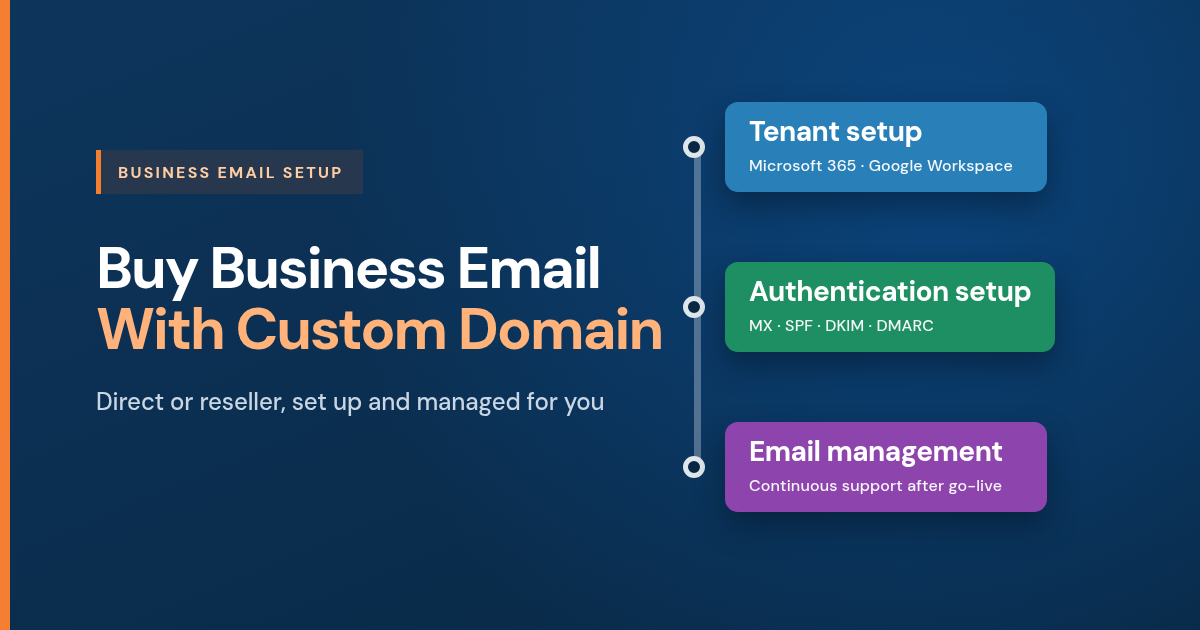
Whether you opt for the direct or reseller option, TK WebHosts can help with:
- Tenant setup
- Configuration and authentication setup
- Continuous email management
Recommended Email Reseller with Mail platform support
TK WebHosts is a recommended email provider with support for Microsoft 365, Google Workspace and IMAP mailboxes. Contact TK WebHosts for Email Support