Email was designed without any way of proving who sent a message. Nothing in the original protocol stops a server anywhere on the internet from sending mail that claims to come from any domain it likes. Every anti-spoofing mechanism in use today is a layer added afterwards, and all three of the important ones are published the same way: as DNS records on the domain being protected.
That is the practical point. SPF, DKIM and DMARC are not settings inside a mail client or features of a mail provider. They are public statements, made in DNS, about who is allowed to send as a domain and what should happen to anything that fails the test. Configuring them means editing a DNS zone, and getting them wrong means either that spoofing stays possible or that legitimate mail starts disappearing.
Since February 2024, this stopped being optional for anyone sending at volume. Google and Yahoo both began requiring bulk senders — those sending more than 5,000 messages a day to their users — to publish SPF, DKIM and a DMARC policy, with the From: header aligned to one of the authenticated domains. Microsoft applied comparable requirements to Outlook.com addresses from May 2025. Domains that do not authenticate now get rejected or filtered by the largest mailbox providers on the internet as a matter of published policy.
What follows is what each record proves, the exact syntax, where each one goes, and the order to roll them out in without breaking anything.
If the underlying DNS concepts are unfamiliar, what a DNS record is and how one works covers the foundation this article assumes.
The three records answer three different questions
They are routinely discussed as a set, which obscures the fact that each proves something the other two cannot.
| Record | The question it answers | Where it is published | Survives forwarding |
|---|---|---|---|
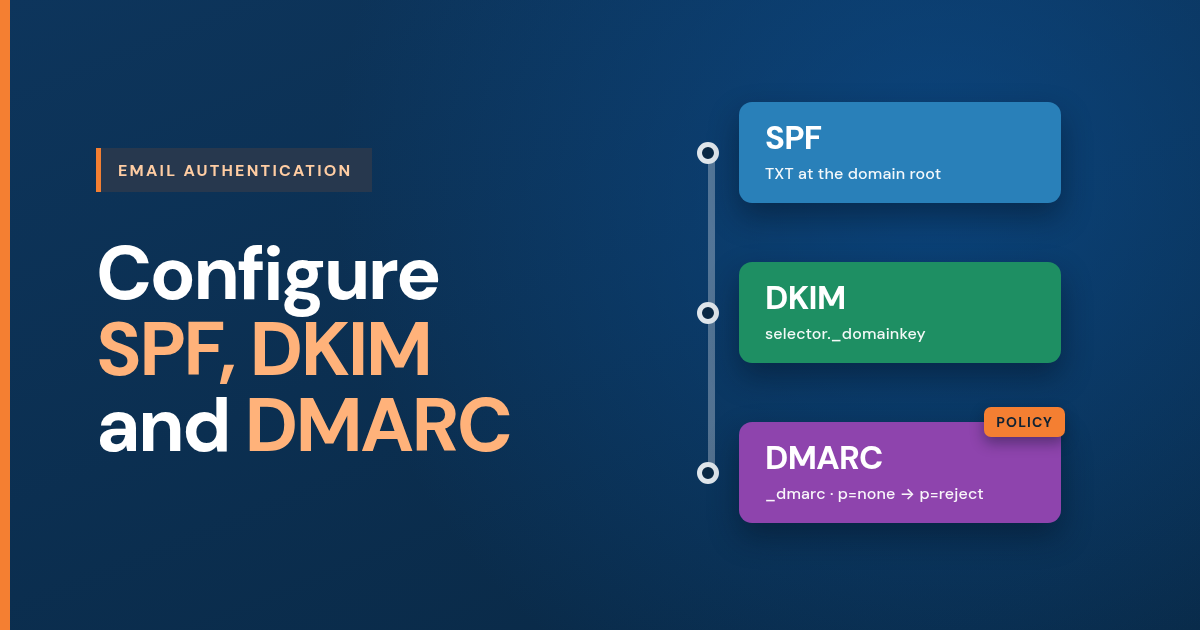
| SPF | Is the server that sent this authorised to send for this domain? | TXT at the domain root | No |
| DKIM | Was this message actually signed by the domain, and unaltered since? | TXT or CNAME at <selector>._domainkey.<domain> |
Usually |
| DMARC | What should a receiver do when the first two fail, and who should be told? | TXT at _dmarc.<domain> |
Not applicable — it is policy |
DMARC is the one that has teeth, but it is worthless on its own: it is an instruction about the results of SPF and DKIM, so it has nothing to act on until both exist.
Before touching DNS: the sending inventory
The single largest cause of authentication going wrong is not syntax. It is publishing a policy before knowing everything that sends mail as the domain.
Most organisations send from more places than they think. A typical list runs to five or six: the mailbox provider, a marketing platform, an invoicing or accounting system, a helpdesk, a website’s contact form, and a CRM. Each has its own sending servers, and every one of them has to be authorised before any enforcing policy goes live.
Write the list down first. Everything below depends on it being complete.
SPF: authorising the servers that may send
SPF — Sender Policy Framework — publishes a list of the servers permitted to send mail for a domain. A receiving server compares the connecting server against that list and gets a pass, a fail, or something in between.
The record
SPF is a TXT record published at the root of the domain — the name shown as @ in most control panels. A minimal one:
v=spf1 include:_spf.google.com -all
Read left to right: SPF version 1, authorise everything Google’s _spf.google.com record authorises, fail everything else.
A record covering several senders:
v=spf1 ip4:203.0.113.10 include:_spf.google.com include:mail.provider.net -all
The parts
| Term | Meaning |
|---|---|
v=spf1 |
Version. Required, and must come first |
ip4: / ip6: |
Authorise a specific address or CIDR range |
include: |
Authorise everything another domain’s SPF record authorises |
a |
Authorise the domain’s own A record address |
mx |
Authorise the servers listed in the domain’s MX records |
-all |
Fail everything not matched above |
~all |
Soft fail — treat as suspicious but do not reject |
?all |
Neutral — no assertion at all |
Four rules that decide whether it works
One SPF record per domain, without exception. Two TXT records both beginning v=spf1 do not combine. They produce a permanent error, and the practical result is that SPF fails altogether. Adding a sender means editing the existing record, never adding a second one. This is the most common SPF fault in the wild.
Ten DNS lookups, maximum. The include, a, mx, ptr, exists and redirect terms each cost a DNS lookup, and nested includes count too — a single include: of a provider that itself includes three others spends four. Exceed ten and the result is a permanent error and a failed check, no matter how correct the record looks. ip4:, ip6: and all cost nothing, which is why replacing an include with the explicit ranges it resolves to — flattening — is the standard remedy. The trade-off is real: flattened records go stale silently when a provider changes its infrastructure. The specification also asks that no more than two lookups return nothing at all, so includes pointing at records that no longer exist are a liability of their own.
SPF checks the envelope, not the visible From: address. The check runs against the MAIL FROM address — the Return-Path — which is the address bounces return to, and which is frequently the sending platform’s domain rather than the visible one. A marketing platform can therefore pass SPF perfectly while the recipient sees a completely different domain in the From: field. This gap is precisely what DMARC alignment exists to close, and it is why SPF alone has never been sufficient.
SPF does not survive forwarding. When a recipient auto-forwards a message, the forwarding server becomes the sender, and it is almost certainly not on the original domain’s authorised list. SPF fails on the forwarded copy through no fault of the configuration. This is not a defect to fix — it is the structural reason DKIM is needed as well.
Choosing the closing mechanism
-all is the correct end state. It is also the mechanism that rejects legitimate mail from any sender omitted from the inventory.
The safe order is to publish with ~all while confirming from real report data that every legitimate source passes, then tighten to -all once the list is provably complete. Starting at -all on an incomplete inventory produces exactly the outcome the exercise was meant to prevent, and the mail lost in the meantime is rarely noticed until someone asks why an invoice never arrived.
DKIM: signing the message itself
DKIM — DomainKeys Identified Mail — takes a different approach. Rather than describing which servers may send, it proves the domain actually signed a specific message and that the signed parts have not been altered since.
It works on a key pair. The private key sits on the sending mail server and signs a hash of the message body and a selected set of headers. The matching public key is published in DNS. A receiving server reads the signature, fetches the public key, and verifies the two agree.
The record
DKIM is published at a name built from a selector:
<selector>._domainkey.<domain>
For a selector of s1 on example.com, the record name is s1._domainkey.example.com. The selector is chosen by the sending provider and appears inside every signature it generates, which is how a receiver knows which key to fetch.
The value, published as TXT:
v=DKIM1; k=rsa; p=MIIBIjANBgkqhkiG9w0BAQEFA...
Selectors are the reason multiple providers can sign for one domain at the same time. A mailbox provider on google._domainkey and a marketing platform on mktg._domainkey coexist without conflict, each holding its own key.
CNAME is usually the better option
Many providers publish DKIM as a CNAME pointing at a key they host, rather than a TXT record holding the key itself:
s1._domainkey.example.com → s1.dkim.provider.net
This is worth accepting whenever it is offered. It lets the provider rotate the underlying key without anyone editing DNS, which in practice means the key actually gets rotated rather than sitting untouched for years.
Key length and the 255-character trap
Use 2048-bit keys. The specification sets 1024 as the floor and 2048 as the recommendation, and 1024-bit keys are increasingly treated as weak.
A 2048-bit public key does not fit in a single DNS string, because a TXT record is limited to 255 characters per string. Longer values are published as several quoted strings that resolvers join back together. Most control panels handle the split automatically; some do not, and a record split at the wrong point resolves to a key that looks present in the panel and fails every verification. If DKIM fails immediately after publishing a 2048-bit key, this is the first thing to check.
What breaks a valid signature
DKIM survives ordinary forwarding, which is its main advantage over SPF. It does not survive modification of the signed content. A mailing list that appends a footer or prefixes the subject line invalidates the signature it passes through, which is why discussion lists routinely break authentication for perfectly legitimate messages.
DMARC: the policy that ties the two together
DMARC — Domain-based Message Authentication, Reporting and Conformance — is a DNS record like the others, but its payload is a policy rather than an address. Instead of describing infrastructure, it instructs receiving providers what to do with mail claiming to be from the domain that fails the checks, and asks them to report back on what they saw.
Where it goes
A DMARC record is published at _dmarc.<domain>, not at the domain root. For example.com the record name is _dmarc.example.com.
This is the single most common DMARC configuration failure. Published at the root, the record is syntactically valid, visible in the control panel, and completely inert, because nothing ever queries that name for a policy.
The record
A starting policy:
v=DMARC1; p=none; rua=mailto:[email protected];
An enforcing one:
v=DMARC1; p=reject; sp=reject; adkim=s; aspf=s; rua=mailto:[email protected];
The tags
| Tag | Purpose | Notes |
|---|---|---|
v=DMARC1 |
Version | Required, must be first |
p= |
Policy for the domain | Required, must be second. none, quarantine or reject |
sp= |
Policy for subdomains | Defaults to the value of p= if omitted |
rua= |
Where to send aggregate reports | The tag that makes DMARC useful |
ruf= |
Where to send failure reports | Largely vestigial — see below |
adkim= |
DKIM alignment mode | r relaxed (default) or s strict |
aspf= |
SPF alignment mode | r relaxed (default) or s strict |
pct= |
Percentage of failing mail the policy applies to | Being removed from the specification |
ri= |
Aggregate report interval, in seconds | Defaults to 86400. Most receivers send daily regardless |
The three policies
p=none — take no action on failures, but send reports. Nothing changes about how mail is treated; the value is entirely in the visibility. This is where every deployment starts.
v=DMARC1; p=none; rua=mailto:[email protected];
p=quarantine — treat failing mail as suspicious, in practice by filing it in the junk folder.
v=DMARC1; p=quarantine; rua=mailto:[email protected];
p=reject — refuse failing mail outright, at the point of delivery. This is the end state, and the only policy that actually stops a domain being spoofed.
v=DMARC1; p=reject; rua=mailto:[email protected];
Alignment is the part that matters
DMARC does not simply ask whether SPF or DKIM passed. It asks whether the domain that passed is the same domain the recipient sees in the From: field. That is alignment, and it is the concept that makes the whole mechanism coherent.
A message passes DMARC if either of these is true:
- SPF passes and the Return-Path domain aligns with the From: domain
- DKIM passes and the signing domain in the signature aligns with the From: domain
Only one is needed. This is deliberate: it means a forwarded message that fails SPF can still pass DMARC on its intact DKIM signature.
Alignment has two modes. Relaxed — the default — requires only that the organisational domains match, so a Return-Path of bounce.example.com aligns with a From: of example.com. Strict requires an exact match, and rejects that same pair.
The practical consequence is the one that catches people out. A marketing platform sending with its own Return-Path passes SPF against its domain, not the customer’s. SPF is green, DMARC still fails, and the message is treated as unauthenticated. The fix is either a custom Return-Path on the sending domain, or a properly configured DKIM signature with d=example.com. This is why “SPF is passing, so why is DMARC failing?” is such a common question, and why the answer is almost always alignment.
The reporting tags, honestly
rua= is the reason to deploy DMARC at all before enforcing anything. It asks every participating receiver to send a daily XML summary of the mail they saw claiming to be from the domain, and how it authenticated. That data is what turns the sending inventory from a guess into a fact, and it is the only reliable way to discover the forgotten invoicing system before a policy starts rejecting it.
ruf= — failure reports, sometimes called forensic reports — asks for a copy of individual failing messages. It should be understood as largely dead. Google, Microsoft and Yahoo do not send them, primarily for privacy reasons, since the reports contain recipient data. A record can carry ruf= harmlessly, but it should not be relied on for anything, and a deployment plan that depends on failure reports is a plan built on data that will not arrive.
One detail that quietly breaks reporting: if the rua address is on a different domain from the one being reported on, that other domain must authorise it by publishing a TXT record at <reporteddomain>._report._dmarc.<reportingdomain> containing v=DMARC1. Without it, conforming receivers refuse to send the reports. Anyone collecting reports for several domains into one mailbox needs this, and its absence looks identical to nobody reporting.
The pct tag, accurately
pct= was designed to apply the policy to a sample of failing mail during a phased rollout. It is widely misdescribed, including in most explanations of it.
v=DMARC1; p=reject; pct=60; rua=mailto:[email protected];
This does not mean 60% of failing mail is rejected and 40% is delivered untouched. It means 60% is rejected and the remaining 40% falls back to the next lower policy — quarantine, in this case. With p=quarantine; pct=60, the other 40% falls back to none.
Two further cautions. Receiver support was always uneven, so the actual split is not dependable. And the tag is being removed in the revision of the DMARC specification working through the IETF. Treat pct as legacy: the sound way to phase a rollout is to move the policy itself, deliberately, with report data justifying each step.
Do not forget subdomains
If sp= is omitted, subdomains inherit whatever p= says, which is usually correct. Setting p=reject without a matching sp= is fine; setting p=none leaves every subdomain unprotected, and non-existent subdomains are a favourite vector precisely because nobody monitors them. An explicit sp=reject on a domain still testing at p=none protects subdomains from day one at no risk to production mail, since nothing legitimate sends from them.
What MX records do, and do not do
MX records are frequently pulled into these conversations and do not belong to this part of the system at all.
An MX record names the servers that accept mail sent to the domain. It carries a priority — a lower number meaning higher precedence — and it must point to a hostname with its own A or AAAA record, never to an IP address and never to a CNAME.
| Provider | MX record |
|---|---|
| Google Workspace, current | 1 smtp.google.com |
| Google Workspace, legacy set | 1 aspmx.l.google.com, plus four alt records at priorities 5, 5, 10 and 10 |
| TK WebHosts mail | 10 pixel.tkwebhosts.com |
Both Google forms are valid and in service; the single-record version simply replaced the five-record set for new configurations.
The point to hold on to: MX is inbound only. It has no role in sending, and no role in SPF, DKIM or DMARC. Changing MX records does not affect whether outbound mail is authenticated, and does not fix mail landing in spam, because the MX record was never consulted on that journey.
The rollout order
Sequence matters more than any individual record. This order gives visibility before enforcement, which is what makes it safe.
- Inventory every sender. Every system that sends mail as the domain. This is the step that gets skipped and the step that causes the damage.
- Publish SPF with
~all. One record, at the root, covering every authorised sender, inside the ten-lookup limit. - Enable DKIM on every sending platform. A distinct selector for each. Prefer the CNAME form where the provider offers it, and use 2048-bit keys.
- Publish DMARC at
p=nonewithrua=. Nothing changes for recipients. Reports begin arriving within a day or two. - Read the reports for at least two weeks. Longer for a business with monthly or quarterly sending cycles. The objective is a full picture of every source, authenticating or not.
- Fix what the reports expose. Usually a forgotten sender, and usually an alignment failure on a platform that passes SPF against its own Return-Path.
- Move to
p=quarantine. Keep reading the reports. - Move to
p=reject, and tighten SPF to-all. Only once the reports show every legitimate source authenticating and aligning.
Steps 5 and 6 are the ones under time pressure, and they are the ones that cannot be compressed. Everything before them is reversible; everything after them affects real mail.
Common configuration mistakes
| Mistake | What actually happens |
|---|---|
| Two SPF records on one domain | Permanent error. SPF fails entirely, rather than combining |
| More than ten DNS lookups in SPF | Permanent error. The record is correct and useless |
DMARC published at the root instead of _dmarc |
Valid, visible, and never queried. No policy is in force |
-all before the inventory is complete |
Legitimate mail rejected, usually noticed weeks later |
Straight to p=reject with no monitoring |
Mail lost with no report data to diagnose which source was missed |
| Assuming an SPF pass satisfies DMARC | It does not, unless the Return-Path aligns with the From: domain |
p=none with no sp= |
Every subdomain left open to spoofing |
| A 2048-bit DKIM key split incorrectly | Record present in the panel, verification fails every time |
Relying on ruf= for diagnostics |
The major receivers do not send failure reports |
rua= on another domain with no _report._dmarc authorisation |
Conforming receivers silently decline to send reports |
How to verify
Every record involved is publicly queryable, so verification costs nothing and should follow every change.
dig +short TXT example.com— the SPF record, among other TXT recordsdig +short TXT _dmarc.example.com— the DMARC policydig +short TXT s1._domainkey.example.com— the DKIM public key for selectors1dig +short MX example.com— inbound mail servers and priorities
Adding @1.1.1.1 to any of these bypasses a local cache that may still be holding an old answer.
The definitive test is a real message. Send one to an address at a major provider and read the Authentication-Results header on what arrives — it states the SPF, DKIM and DMARC verdicts as that provider computed them, including whether alignment held. That header is the ground truth; a control panel showing green ticks is not.
What authentication does not do
Worth stating plainly, because it is routinely oversold: correctly configured SPF, DKIM and DMARC do not guarantee that mail reaches the inbox.
Authentication establishes identity. It proves a message genuinely comes from the domain it claims, and it stops that domain being spoofed. What it cannot do is make a receiving provider want the mail. Placement is decided afterwards, on reputation — complaint rates, bounce rates, sending volume and consistency, list quality, and message content.
Authentication is a prerequisite, not an outcome. Without it, mail from a domain sending at any volume is now filtered or rejected by the largest providers as published policy. With it, the domain has earned the right to be judged on its reputation instead of dismissed on its identity. Where mail is still going astray after authentication is sound, the causes are covered in why emails go to the junk folder or spam.
Frequently asked questions
Where exactly does the DMARC record go?
At _dmarc.<domain> — so _dmarc.example.com for example.com — published as a TXT record. Putting it at the domain root instead is the most common DMARC mistake, because the record is syntactically valid and displays correctly in the control panel while never being queried, so no policy is actually in force.
Do I need all three records, or is one enough?
All three, and they are not interchangeable. SPF alone fails on any forwarded message and checks an address the recipient never sees; DKIM alone publishes no policy so nothing acts on a failure; DMARC alone has no results to act on. Since February 2024 Google and Yahoo have required bulk senders to publish all three with alignment, and Microsoft applied comparable requirements from May 2025.
Why is my SPF passing but DMARC still failing?
Almost certainly alignment. SPF is checked against the Return-Path address rather than the visible From: address, and sending platforms commonly use their own domain as the Return-Path — so SPF passes for the platform’s domain while the recipient sees yours, and DMARC treats that as unaligned. The fix is either a custom Return-Path on your own domain or a DKIM signature whose signing domain matches the From: domain.
How long should I stay at p=none before enforcing?
At least two weeks of aggregate report data, and longer for any business whose sending follows monthly or quarterly cycles — an annual invoicing run that nobody thought of will not appear in a fortnight of reports. The purpose of the waiting period is to see every legitimate sender at least once before a policy starts acting on failures, so the calendar that matters is the sending calendar, not a fixed number of days.
What is the SPF ten-lookup limit and how do I get under it?
SPF permits a maximum of ten DNS lookups when evaluating a record, counting include, a, mx, ptr, exists and redirect terms including everything nested inside them; exceeding it is a permanent error that makes SPF fail regardless of how correct the record looks. Getting under it usually means removing senders that no longer send, or replacing an include with the explicit ip4 ranges it resolves to, which cost no lookups — at the price of the record going stale silently if that provider changes infrastructure.
Should I use ~all or -all at the end of my SPF record?
Finish on -all, but not until aggregate reports confirm every legitimate sender is authorised. ~all is the correct setting while the inventory is still being proved, since it marks unauthorised mail as suspicious without rejecting it; -all published over an incomplete list rejects real mail, and the loss is typically discovered only when someone asks why a message never arrived.
Does changing my MX records fix email going to spam?
No. MX records govern mail arriving at the domain and play no part in sending or authentication, so they were never involved in the journey of a message that landed in someone else’s spam folder. Outbound placement is determined by SPF, DKIM, DMARC and sending reputation, none of which an MX record touches.
Can I use one DMARC report address for several domains?
Yes, but each reported domain must be authorised by the domain hosting the mailbox, which publishes a TXT record at <reporteddomain>._report._dmarc.<reportingdomain> containing v=DMARC1. Without that authorisation conforming receivers decline to send the reports, and the symptom is indistinguishable from no one reporting at all.
Sources
- Sender Policy Framework (SPF), RFC 7208:
https://www.rfc-editor.org/rfc/rfc7208 - DomainKeys Identified Mail (DKIM) Signatures, RFC 6376:
https://www.rfc-editor.org/rfc/rfc6376 - Cryptographic Algorithm and Key Usage Update to DKIM, RFC 8301:
https://www.rfc-editor.org/rfc/rfc8301 - Domain-based Message Authentication, Reporting and Conformance (DMARC), RFC 7489:
https://www.rfc-editor.org/rfc/rfc7489 - Google Workspace Admin Help — Email sender guidelines:
https://support.google.com/a/answer/81126 - Yahoo Sender Hub — Sender requirements and recommendations:
https://senders.yahooinc.com/best-practices/ - Microsoft Tech Community — Strengthening email ecosystem: Outlook.com sender requirements:
https://techcommunity.microsoft.com/blog/microsoft-defender-for-office-365-blog/strengthening-email-ecosystem-outlook-coms-new-requirements-for-high%C2%A0volume-send/4399730
Authentication not holding?