
Why Are My Emails Going to Junk Folder?
Outlook calls it Junk. Gmail calls it Spam. The causes are the same.
Emails going to the junk folder are delivered, then filed away from the inbox, so the recipient rarely sees them and the sender rarely finds out. If you run a business and your quotes, invoices, or replies to customers are landing in Outlook's Junk Email folder or Gmail's Spam folder, the reason is on a short list: missing or misaligned authentication records (SPF, DKIM, DMARC), a damaged sender reputation, DNS or platform misconfiguration, a new domain with no sending history, or sending practices that look like bulk mail to the filters. Almost every case is diagnosable, and most are fixable.
Last reviewed: October 9, 2026 · Part of our email deliverability services resources
Request Your Free Deliverability Audit
Submit the affected domain and TK WebHosts will assess the likely failure points, then reply with the right next step and a written quote within 24 hours.
- 1Your details
- 2The problem
- 3What you need
Prefer to talk it through? Book a free 30-minute call.
Why are my emails going to junk folder? Talk it through on a free call
Pick a time for a free 30-minute call. Bring the domain and an example of a message that went to junk, and leave knowing which of the causes below is the likely one and what fixing it involves.
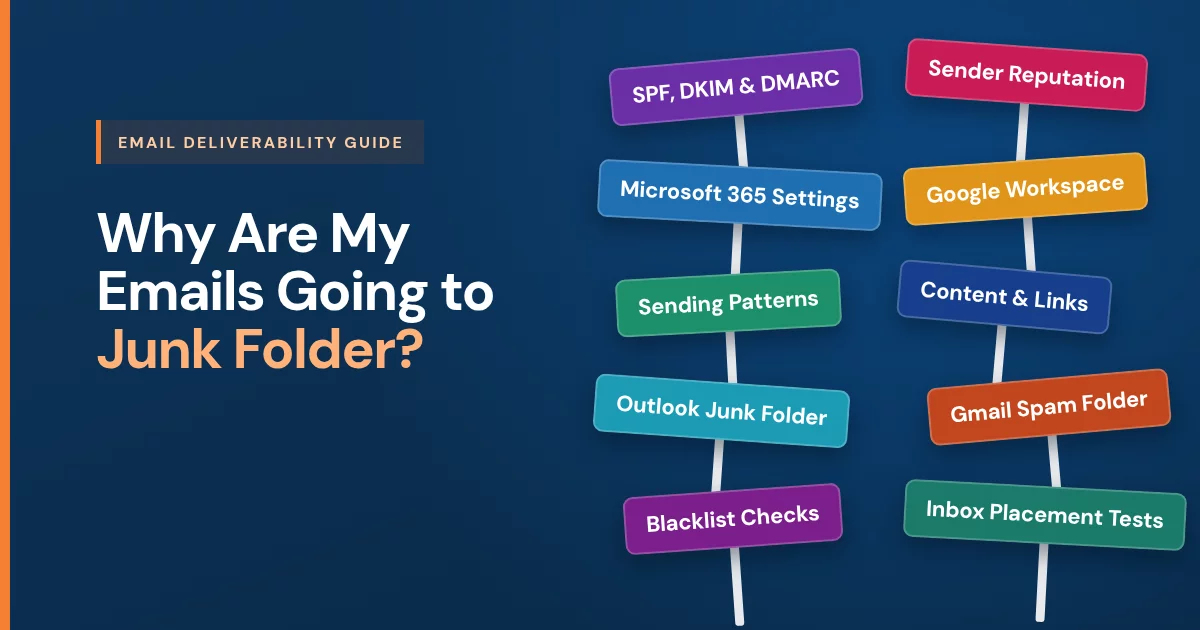
Why are my emails going to junk folder? Five causes in order
Work through these in sequence. Fixing a later one while an earlier one is still broken wastes the effort.
1. SPF, DKIM and DMARC failures that send emails to the junk folder
SPF, DKIM, and DMARC tell receivers the mail is genuinely yours. Missing records, a wrong record, or a system sending on your behalf that is not listed all fail the check — and failed authentication is the most common single cause.
2. Microsoft 365 and Google Workspace settings that send emails to junk
DNS changes, platform migrations, and split delivery between two mail systems leave gaps: the wrong MX, a stale record, or a relay that rewrites the sender. Inherited setups are the usual source.
3. Sender reputation damage that pushes emails to the junk folder
Receivers score your domain and sending addresses on history: complaints, bounces, blacklistings, and engagement. Reputation damage is slow to earn and slow to repair.
4. Sending patterns that trigger junk folder placement
Sudden volume, purchased lists, cold sends from the primary domain, and low engagement all read as bulk mail to the filters, whatever the authentication says.
5. Message content and links that read as spam
Least common as a root cause, but shortened links, heavy images with little text, and mismatched link domains add to a score that is already borderline.
Why are my emails going to junk folder in Outlook and Microsoft 365?
Outlook.com, Hotmail, and Microsoft 365 file filtered mail in the Junk Email folder. Microsoft scores each message on authentication, on the sending domain's and IP's history with Microsoft, and on the recipient's own Safe Senders and Blocked Senders lists.
Since May 2025, Outlook.com has required SPF, DKIM, and DMARC from domains sending more than 5,000 messages a day, and mail that fails can go to Junk or be rejected outright. Inside Microsoft 365, the receiving organization's own anti-spam policies and mail-flow rules can junk mail too, which is why email between two businesses on Microsoft 365 can start going to junk when neither side changed anything visible.
Why are my emails going to junk folder in Gmail and Google Workspace?
Gmail and Google Workspace call the same folder Spam, so emails going to spam in Gmail and emails going to junk in Outlook are one problem. Google weighs authentication, domain and IP reputation, and how recipients react: messages people mark as spam, or never open, teach the filter.
Since February 2024, Google has required SPF or DKIM from every sender, and SPF, DKIM, DMARC, one-click unsubscribe, and a low spam-complaint rate from anyone sending more than 5,000 messages a day to Gmail addresses. The same send can reach the inbox in Gmail and go to junk in Outlook, because each provider keeps its own reputation data.
What fixing emails going to the junk folder involves
Authentication is repaired across every system that sends for you — your mail platform, marketing tools, CRM, invoicing, and transactional senders — so the records match reality rather than the last person's guess. Platform settings on Microsoft 365 and Google Workspace are corrected alongside DNS.
- Diagnose first: read the headers and map every system that sends as your domain.
- Repair SPF, DKIM, and DMARC so each of those systems passes and aligns.
- Correct Microsoft 365 or Google Workspace settings alongside DNS.
- Rebuild sender reputation with volume and practice changes rather than tricks.
- Verify with test sends to Outlook, Gmail, and Yahoo mailboxes and read the Authentication-Results headers; a fix that is not verified is a guess.
- Hand over written documentation of what was changed and what to keep doing.
Authentication fixes take effect quickly; sender reputation improvement takes 2-4 weeks. The same work fixed deliverability for Macklin Law, Emerging Components, and Poolspa Pro.
What no junk folder fix can promise
- Guaranteed inbox placement — receivers decide, not senders
- A placement percentage
- An instant reputation reset
- Fixes without access to DNS and the sending platforms
Why are my emails going to junk folder? Frequently asked questions
How do I check whether SPF, DKIM, and DMARC are set up?
Send a message to a mailbox you control and open the message headers. The Authentication-Results line shows a pass or fail for each of SPF, DKIM, and DMARC. Missing or failing results point directly at the records to fix. A free deliverability audit does this across every system that sends on your behalf.
Why are my emails going to junk folder after setting up DMARC?
Because DMARC is necessary, not sufficient. Authentication proves the mail is really from you; it does not repair a damaged sender reputation or fix sending practices. Most real cases need authentication corrected first, then reputation and sending habits addressed.
Why are my emails going to junk folder only for some recipients?
Each receiving provider scores mail differently and keeps its own reputation data, and each recipient's own filters and safe-sender lists add to that. A configuration that one provider tolerates, another sends to junk. Problems that show up only at certain destinations usually trace back to a specific authentication gap or a reputation issue with that provider's filters.
Why are my emails going to junk folder from a new domain?
A new domain has no sending history, so filters have nothing to trust. Building reputation gradually on a correctly authenticated domain is the fix; sending a large volume on day one is the fastest way to make a new domain look like spam.
How long does it take to stop emails going to junk?
Authentication fixes take effect as soon as the DNS records propagate. Sender reputation improvement takes 2-4 weeks. No provider controls inbox placement, so the honest commitment is diagnosis, repair, and reporting rather than a placement guarantee.
Why are all my emails going to junk folder?
When every message lands in junk at every provider, the cause is usually domain-wide: authentication failing for your main mail platform, a DMARC policy quarantining your own mail, the domain or sending IP on a blacklist, or a migration that left old records in place. That pattern points to the first two causes above, and it is usually quicker to fix than a reputation problem.
Why are my emails going to junk folder in Outlook but not Gmail?
Microsoft and Google keep separate reputation data and score the same message on their own history. A sending IP or domain with a poor record at Microsoft, which is common on shared mail servers, can put mail in Outlook's Junk Email folder while Gmail delivers it. The Authentication-Results header on a copy received at an Outlook address shows which check failed.
Why are my emails going to junk folder? Request a free audit
Book a free 30-minute call to talk it through, or request a free deliverability audit. We check authentication, configuration, and reputation across every system that sends on your behalf, and reply with the right next step and a written quote within 24 hours.