Almost every problem that looks like a broken website or missing email turns out to be a DNS problem. A site that loads for one person and not another, mail that vanishes after a provider change, a security certificate that will not issue — these are usually one wrong line in a zone file, not a failure of the server everyone is blaming.
DNS has a reputation for being obscure, and it is mostly undeserved. The system does one job, records have four moving parts, and about six record types cover nearly everything a business will ever touch. What follows is that foundation, in the order it makes sense to learn it.
What DNS actually does
DNS stands for the Domain Name System. Its job is translation: it turns a name a person can remember into an address a machine can route to.
A browser asked for example.com cannot do anything with that name. It needs an IP address — 93.184.216.34, or an IPv6 equivalent. DNS is the lookup layer that turns the first into the second, and it runs before the connection to the website is ever opened.
That translation is the whole purpose. Everything else — email routing, domain verification, email authentication — is built on the same lookup mechanism, reusing it to publish other kinds of information under a domain name.
How a lookup really happens
DNS is often described as one big directory copied around the world. That is a useful picture and a slightly misleading one. The system is hierarchical and delegated, not duplicated.
A lookup for www.example.com walks down a chain:
- The resolver. The device asks a recursive resolver — usually one run by the internet provider, or a public one such as
1.1.1.1or8.8.8.8. The resolver does the legwork. - The root. The resolver asks a root server which servers are authoritative for
.com. - The TLD servers. It asks the
.comservers which nameservers are authoritative forexample.com. - The authoritative nameservers. It asks those for the actual record, and gets the answer.
- The answer is cached, then returned.
The important consequence: there is exactly one authoritative source for a domain’s records — the nameservers the domain is delegated to. Copies exist everywhere, but they are cached copies with an expiry date, not independent originals. Which is where the next part comes in.
TTL, and why changes take time
Every DNS record carries a TTL — time to live — measured in seconds. It tells any resolver that caches the record how long it may keep serving that answer before checking again.
A record with a TTL of 3600 may be served from cache for an hour. Change that record and the world does not see the change for up to an hour, because resolvers holding the old value are entitled to keep using it. This is the entire explanation for “DNS propagation”, a phrase that describes cache expiry rather than anything propagating.
Two practical rules follow:
- Lower the TTL before a planned change, not during it. Dropping a TTL from 86400 to 300 takes up to a day to take effect, because the old TTL governs how long the old TTL is cached. Reduce it a day or two ahead of a migration, make the change, then raise it again afterwards.
- Negative answers are cached too. If a record does not exist when it is first queried, the “does not exist” answer is cached — governed by the zone’s SOA minimum, not by the record’s own TTL, because the record has no TTL yet. This is why a newly added record sometimes appears slower than expected for the one person who checked too early.
What a DNS record is
A DNS record is a single published fact about a name. In its simplest form it is a mapping:
Name → Value
An A record for example.com with the value 93.184.216.34 publishes the fact that this name resolves to that address.
In practice every record has four parts, and a fifth for some types:
| Part | What it is | Example |
|---|---|---|
| Name | The name the record applies to. @ means the domain itself; www means www.example.com |
@, www, mail |
| Type | What kind of fact this is | A, CNAME, MX, TXT |
| Value | The data — an address, a hostname, or text | 93.184.216.34 |
| TTL | Seconds a resolver may cache it | 3600 |
| Priority | Only on some types, notably MX | 10 |
Control panels display these differently, and some hide the TTL entirely, but the underlying record is always the same shape.
The record types that matter
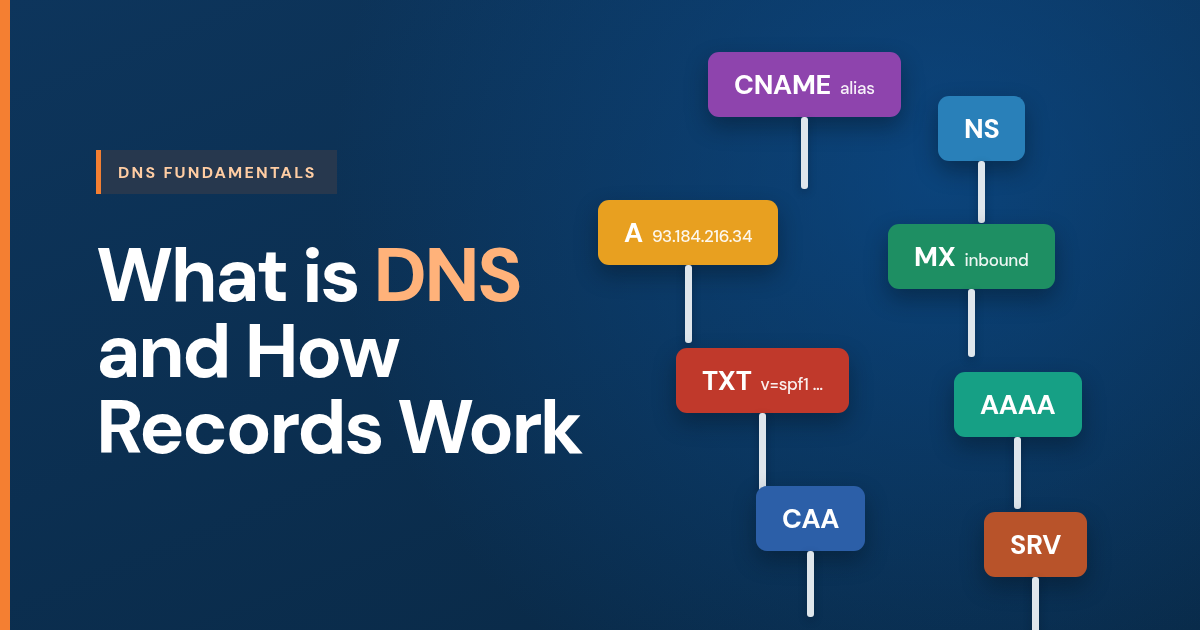
There are dozens of types. These are the ones a business domain actually uses.
| Type | Purpose | Value looks like |
|---|---|---|
| A | Points a name at an IPv4 address | 93.184.216.34 |
| AAAA | Points a name at an IPv6 address | 2606:2800:220:1:248:1893:25c8:1946 |
| CNAME | Makes one name an alias of another name | shop.example.com → stores.provider.net |
| MX | Names the servers that accept inbound mail for the domain | 1 smtp.google.com |
| TXT | Publishes arbitrary text — the carrier for email authentication and domain verification | v=spf1 include:_spf.google.com -all |
| NS | Names the authoritative nameservers for the domain | ns1.provider.com |
| CAA | Restricts which certificate authorities may issue certificates for the domain | 0 issue "letsencrypt.org" |
| SRV | Publishes the host and port for a specific service | 10 0 443 sip.provider.com |
Three rules about these catch people out repeatedly:
- A CNAME cannot coexist with any other record on the same name. This is why the root of a domain —
example.comitself, which must carry NS and usually MX — cannot be a plain CNAME. Providers work around it with non-standard record types marketed as ALIAS, ANAME or CNAME flattening, which resolve the target and answer with an A record. - An MX record must point to a hostname that has an A or AAAA record. It may not point to an IP address, and it may not point to a name that is itself a CNAME. Both are common mistakes and both cause intermittent, hard-to-diagnose delivery failures.
- TXT records have a 255-character limit per string. Longer values, such as a 2048-bit DKIM key, are published as multiple quoted strings that resolvers concatenate. Splitting one incorrectly produces a record that looks present and does not work.
Nameservers: the record that controls all the others
The single most consequential setting on a domain is not any individual record. It is the nameserver delegation — the NS records held at the registry that say which servers are authoritative.
This is the source of the most common confusion in DNS. There are three places that can appear to own a domain’s records:
- The registrar — where the domain is registered and paid for. It sets the delegation.
- The DNS host — whichever nameservers the domain is delegated to. This is where records are actually read from.
- The web or mail host — the servers the records point at.
These are frequently three different companies, and they can be the same one. Records edited at a registrar have no effect if the domain is delegated to somebody else’s nameservers — the edits are real, saved, and simply never consulted. Before changing any record, establish where the domain is actually delegated. A public whois lookup, or dig NS example.com, answers it in seconds.
Nameserver changes are also the slowest change in DNS, because they are cached at the TLD level with long TTLs. Moving DNS hosting means recreating every record at the new host first, then switching delegation — never the other way round.
The records that carry email
Email is where DNS stops being a website concern and becomes a business-continuity one, because four different record types are involved and each does a job the others cannot.
| Record | What it controls | Direction |
|---|---|---|
| MX | Which servers accept mail sent to the domain | Inbound only |
| TXT (SPF) | Which servers are authorised to send as the domain | Outbound |
| TXT or CNAME (DKIM) | The public key that verifies a message’s signature | Outbound |
| TXT (DMARC) | What receivers should do with mail that fails the checks | Outbound policy |
The distinction worth fixing early: MX records are inbound only. They say where mail arrives. They have nothing to do with sending, and nothing to do with authentication. Changing MX records does not fix mail that is landing in spam, because MX was never involved in that journey.
An MX record also carries a priority — sometimes called preference — where a lower number means higher precedence. A domain on Google Workspace can publish a single 1 smtp.google.com, or the older set of five records at priorities 1, 5, 5, 10 and 10; a domain on TK WebHosts mail publishes 10 pixel.tkwebhosts.com. Multiple records are alternates for redundancy, not a load-sharing arrangement.
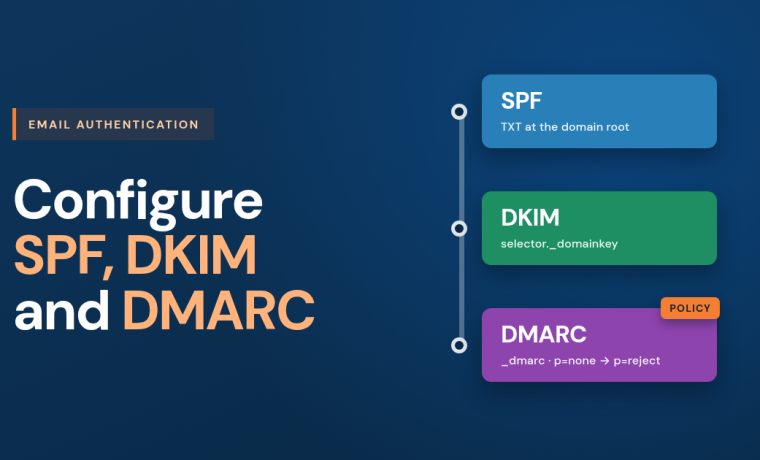
The three outbound records — SPF, DKIM and DMARC — are what receiving providers now check before deciding whether a message is genuinely from the domain it claims. Configuring them correctly is its own subject, covered in how to configure SPF, DKIM and DMARC.
Five mistakes worth avoiding
- Editing records at the registrar when the domain is delegated elsewhere. The edits save successfully and change nothing.
- Pointing an MX record at an IP address or a CNAME. Some receiving servers tolerate it; enough do not that mail becomes unreliable rather than broken, which is worse to diagnose.
- Switching nameservers before recreating the records. Anything not recreated at the new host disappears at the moment of the switch, and email is usually the first thing noticed.
- Publishing two records of a type that permits only one. Two SPF records on a domain do not combine — they are a permanent error, and the practical result is that SPF fails entirely.
- Treating a control panel’s toggles as the truth. The zone is the truth. Verify with a lookup after every change.
How to check a record
Every DNS answer is publicly queryable, which makes verification the cheapest step in the process. On macOS or Linux, dig gives a direct answer:
dig +short A example.com— the address a name resolves todig +short MX example.com— the inbound mail servers and their prioritiesdig +short NS example.com— where the domain is actually delegateddig +short TXT example.com— text records, including SPFdig +short TXT _dmarc.example.com— the DMARC policy
On Windows, nslookup -type=MX example.com covers the same ground. Adding a resolver to the query — dig +short MX example.com @1.1.1.1 — bypasses a local cache that may still be serving an old answer, which is the fastest way to tell a real problem from a stale one.
Where this leads
DNS is a small system with a large blast radius. The concepts above — delegation, TTL, the shape of a record, and which type does which job — cover the great majority of what any business needs to reason about it confidently.
The next layer is email authentication, where TXT records stop describing infrastructure and start making assertions about identity. That is where SPF, DKIM and DMARC live, and where the consequences of a mistake show up not as an error message but as mail quietly going missing.
Frequently asked questions
What is the difference between a domain and DNS?
A domain is the registered name itself, held through a registrar and renewed annually; DNS is the system that publishes what that name points to. Registering a domain gives ownership of the name, while DNS records are what make it resolve to a website or accept email, which is why a newly registered domain does nothing at all until records are added. The registration side is covered separately in how domain registration works.
How long do DNS changes take to take effect?
As long as the old record’s TTL, which is set in seconds and commonly between 300 and 86400. A record with a TTL of 3600 can be served from cache for up to an hour after the change, so lowering the TTL a day or two before a planned migration is what actually shortens the window. Nameserver changes are slower again, because the delegation is cached at the registry level with longer TTLs.
Can I point an MX record at an IP address?
No. An MX record must name a hostname that has its own A or AAAA record, and that hostname must not itself be a CNAME. Pointing MX at an IP address or at an alias produces delivery that works with some senders and fails with others, which is considerably harder to diagnose than an outright failure.
Why can’t the root of my domain be a CNAME?
Because a CNAME cannot coexist with any other record on the same name, and the root of a domain must carry NS records, usually MX records, and often TXT records. Providers work around this with non-standard record types marketed as ALIAS, ANAME or CNAME flattening, which look like a CNAME in the control panel but answer queries with a resolved A record.
Where are my DNS records actually hosted?
Wherever the domain’s nameservers point, which is not necessarily the registrar and not necessarily the web host. Running dig NS example.com, or checking a public WHOIS record, gives the authoritative answer. Records edited anywhere other than the delegated nameservers are saved but never consulted, which is the single most common reason a correct-looking change has no effect.
Do I need to manage DNS myself?
Not necessarily, and for a business where email and a website both matter, delegating it to a provider that reviews changes before they go live removes the largest category of self-inflicted outage. Managed DNS covers what that arrangement involves.
Sources
- Domain Names — Concepts and Facilities, RFC 1034:
https://www.rfc-editor.org/rfc/rfc1034 - Domain Names — Implementation and Specification, RFC 1035:
https://www.rfc-editor.org/rfc/rfc1035 - Clarifications to the DNS Specification, RFC 2181 (MX and CNAME target rules):
https://www.rfc-editor.org/rfc/rfc2181 - Negative Caching of DNS Queries, RFC 2308:
https://www.rfc-editor.org/rfc/rfc2308 - DNS Certification Authority Authorization (CAA), RFC 8659:
https://www.rfc-editor.org/rfc/rfc8659
Editing DNS by hand?